
Forgot how many rakʿāt?
Every prayer, rakʿah by rakʿah. See what to recite, when to sit, and what to do if you lose count.
How to pray →Awwāb · the one who keeps returning
A gentle companion for Muslims finding their way back to prayer. Know your rakʿāt, make up what you missed without shame, and read the Quran again: every Arabic word spells itself out, letter by letter.
Know your rakʿāt, make up what you missed without shame, and read the Quran again, letter by letter.

فَإِنَّهُۥfaʾinnahuكَانَkānaلِلْأَوَّٰبِينَlilʾawwābīnaغَفُورًۭاghafūran
“He is ever forgiving to those who keep returning.” Al-Isrāʾ 17:25Al-Isrāʾ 17:25 · the verse our name comes from
For the days you forget, miss a prayer, and want to come back.
Every prayer, rakʿah by rakʿah. See what to recite, when to sit, and what to do if you lose count.
How to pray →
Make up missed prayers at your own pace, with istighfar and a plan that fits.
Return →
Tap any Arabic word to see its letters, its harakat, how they join, its root, and how it’s used today.
Word anatomy →Today
Prayer times are worked out on your phone, so there’s no signal needed. Beside each time you see the jamaat at the mosque you’ll actually be at.
Calculated on your phone, with your mosque’s jamaat beside it, and every prayer rakʿah by rakʿah.

Return · At-tawbah
Tawbah means to return. Make up the prayers you missed at a pace you can keep, and celebrate each time you come back.
Istighfar, a make-up plan at your pace, and streaks that never fall to zero.

Word anatomy
Tap any word in the app and see how it’s built, the way your Qaida teacher would have shown you.
Tap any word to see its letters, harakat, joining forms, root, and modern usage.

Learn · The maktab way, faster
Your Qaida and Ampara, rebuilt for an adult with five minutes. A quick recall check skips what you still remember.
Noorani Qaida order, Ampara-style spelling in English or বাংলা, short surahs first, and a takhti.

Plan your year
Islamic dates depend on moon sighting. Awwab shows both possible days, lets you confirm locally, and moves everything that follows.
Expected dates until you confirm. Your mosques’ jamaats, Eid wherever you are, and zakat in bhori.

Umrah mode
Switch it on for your trip. It knows the time in Makkah, asks what you’re doing, and plans around your hotel and the Haram. Everything, including the map, works without data roaming.
It knows the time in Makkah, asks what you’re doing, and plans around your hotel and the Haram. The map works with no roaming data.


See when to leave for Fajr, planned around your hotel.

With location on, get guidance for the next step as you arrive.

Optional location assistance recognises Safa and Marwah. Tap to correct.

Find gates, the masʿā, and wudu areas without a signal.

Hotel, gate and family meeting point saved.

Iqāmah countdown, dhikr, and your duʿā requests.
Two ways to learn
Same lessons, two moods. Choose when you start. Switch any time.
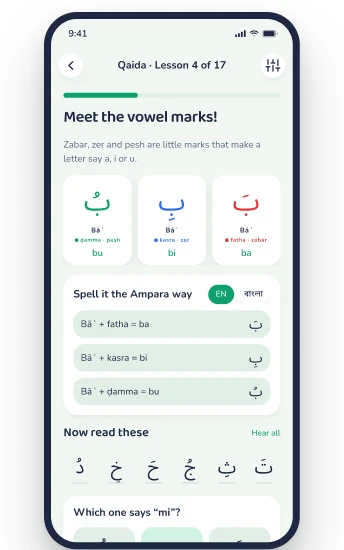
Short lessons, word meanings, and sources you can check.
Calm, meaning-first, private.
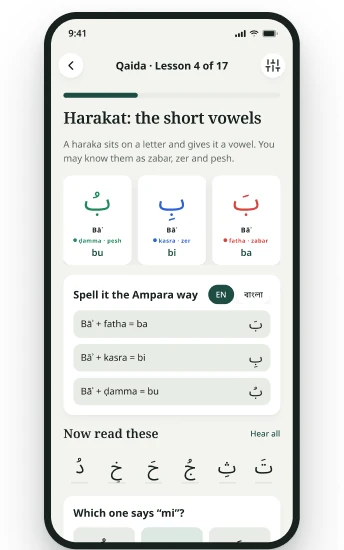
Bigger letters, colour-coded harakat, stickers, and a takhti to write on.
Like you’re 12: colours, takhti, stickers.
Share your progress
Made a surah part of your salah? Turn a moment in your learning into an image for WhatsApp, Instagram, or Facebook, with a link so friends can start too. Prayer numbers stay hidden unless you choose to show them.
Turn a learned surah or a Quran word milestone into an image for WhatsApp or Instagram, with your link inside. Prayer numbers stay hidden unless you show them.

Phone · laptop · paper
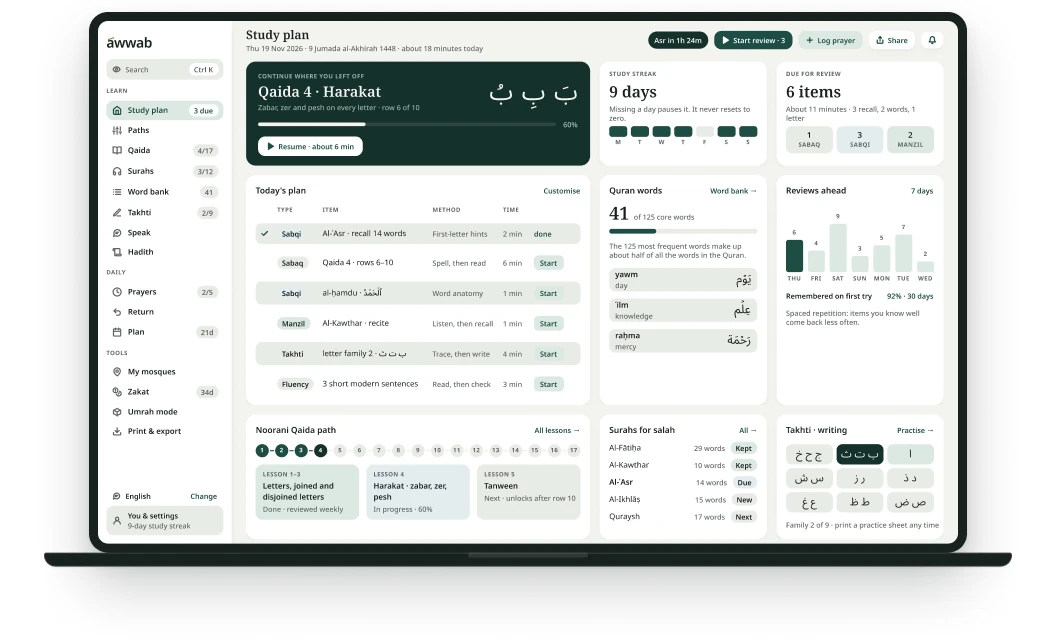
On a laptop it becomes a study desk. Qaida drills, word anatomy, and writing practice side by side. Print what you want on the wall.
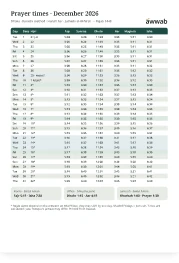
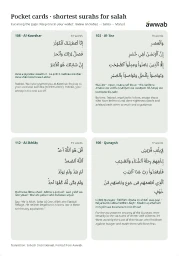
Print a monthly timetable with your mosques’ jamaat times · a Ramadan timetable · Takhti tracing sheets · surah pocket cards · an Umrah pocket guide
Offline & private
Your prayers and progress stay on your device.

After setup, open Awwab without a connection, even in the Haram.
Even in the Haram.

Open it and start. Your prayer and study records stay on your device.
Open it and start.

Awwab uses your location on your device when you choose to share it with the app.
On your phone only.

Export your progress any time to save it or move to a new phone.
Move to a new phone.
Every āyah shows its sūrah and number. Every hadith shows its collection, number and grade, and we only include narrations graded ṣaḥīḥ or ḥasan. Where the schools of thought differ, the app tells you. We ask qualified scholars to review religious content before each release.
FAQ
Only to open it the first time. After that Awwab works offline. Audio and Umrah maps are optional downloads.
Your prayers and progress stay on your device. You can export a backup file any time.
Prayer examples start with the Hanafi structure. Choose how Asr is calculated in Settings. The guides note where scholars differ.
Anyone re-learning with simple lessons, bigger letters, and a takhti to write on.
Use Awwab alongside a teacher to practise. Ask a qualified scholar about religious rulings.
Open Awwab in your browser. Look for Install app or Add to Home Screen in the browser menu.
Only to open it the first time. After that Awwab works offline. Recitation audio and Umrah maps are optional downloads.
Your prayers and progress stay on your device. You can export a backup file any time.
Prayer examples start with the Hanafi structure. Choose how Asr is calculated in Settings. The guides note where scholars differ.
Anyone re-learning with simple lessons, bigger letters, and a takhti to write on.
Use Awwab alongside a teacher to practise. Ask a qualified scholar about religious rulings.
Open Awwab in your browser. Look for Install app or Add to Home Screen in the browser menu.
No sign-up. Open it, add it to your home screen, and you’re ready.