
2 biryani, 1 lassi
Road 12, House 5
Order2× Biryani, 1× Lassi
ToRoad 12
Chat screenshots → orders
From Messenger, WhatsApp, Instagram, or any app.
Mise keeps orders, kitchen, stock, staff, credit and cash in step for shops that run on chats. When you’re busy, an AI operator can take the shift.
Works with Uber Eats, DoorDash, Deliveroo, Stripe, WhatsApp, Instagram and Shopify. No APIs, no new hardware.
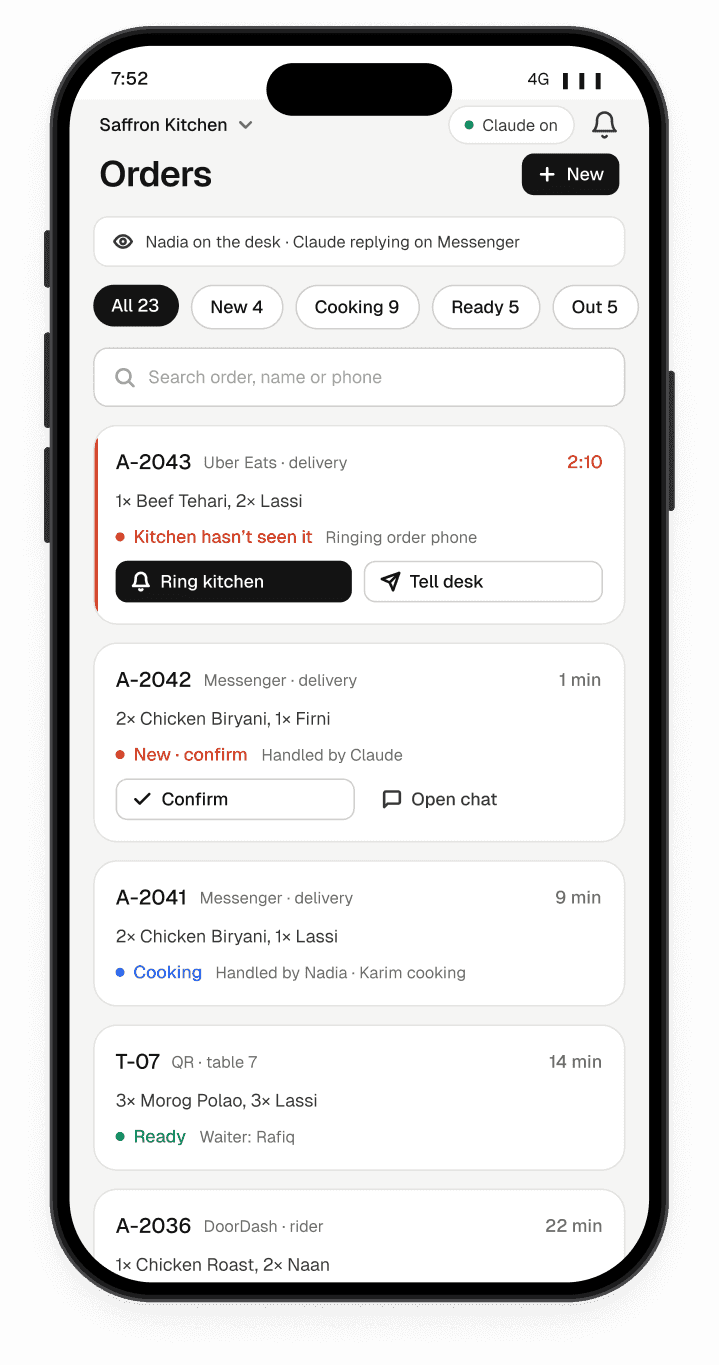
01 · AI OPERATOR · OPTIONAL
Pick what the agent may do alone, what it must ask about, and what it only watches. It works next to your team: type in a chat and it steps back.
Set money limits, quiet hours and things it must never do, such as cancelling paid orders.
See what it did, why, and reverse it. Your staff see the same log.
A presence pill shows who handles each chat and order. Type in a chat and the agent steps back.
Kitchen alarms, missed orders and payment gaps still ring phones, even if the agent is offline.
One tap opens every chat and delivery tab
Reads the playbook and today’s plan
Replies, takes orders, books couriers
“Free raita for Sadia? $40”
Type in a chat and it steps back
Summary to the owner on WhatsApp
Courier site changed? It switches to copy-and-paste. WhatsApp closed? It asks the desk. Nothing is dropped silently.
Claude  →  Customize › Connectors › Add custom connector
https://mcp.mise.app/mcp
Codex   →  codex mcp add mise --url https://mcp.mise.app/mcp
Start it once with a copied prompt. Scheduled check-ins or one live session per shift keep it going, and Mise tells you if it stops checking in.
02 · READS ANYTHING
When the agent can read a chat directly, no photo is needed. For everything else, such as screenshots, invoices, prescriptions, payment SMS and handwritten lists, Mise reads it and asks only when it’s unsure.
2 biryani, 1 lassi
Road 12, House 5
From Messenger, WhatsApp, Instagram, or any app.
Chicken 20kg 4800
Oil 10L ...2350
Total 7150
Handwritten or printed. Unclear lines are flagged for you.
Rx Napa Ext 1+1
Seclo 20 1x
Fexo 120
You check every line before anything is sold.
Stripe: Payment of $910 received from 017•••482
Stripe, PayPal and bank alerts on the shop phone.
1kg basmati
2 Lux soap
6 eggs
Customers snap a list from the shop’s link.
Order #8812 · Rumana · $3,450
Point at the order number, name and total once.
03 · EVERY WAY DATA GETS IN
Each source has an automatic way in and a one-tap manual fallback, so nobody has to sit and type.
Uber Eats, DoorDash, Amazon
Browser extension reads the open tabs on the shop PC
WhatsApp, Messenger, Instagram
Order phone notifications, or the AI agent reading the chat
Stripe, PayPal, bank SMS
Order phone reads the alert and matches it
Orders and missed calls
Missed-call log, then a one-tap order on the POS
Tables, delivery, pre-orders
Arrives directly, with the customer’s number
Cash, Stripe, credit
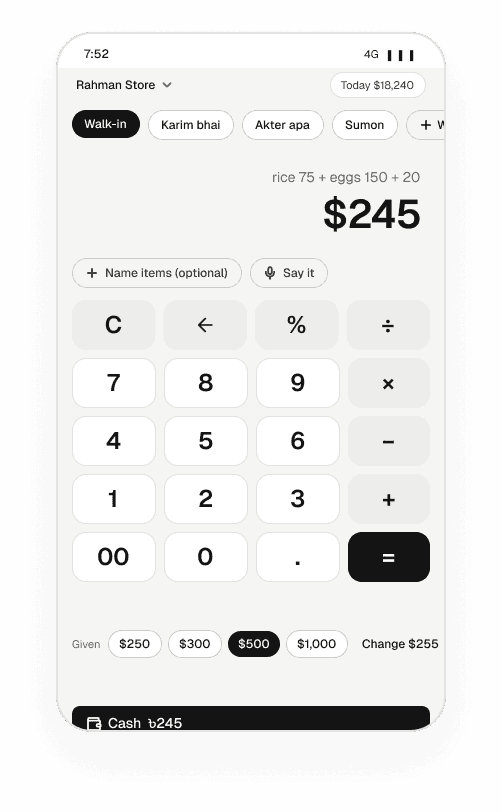
Counter calculator or POS, cash in one tap
“I’m here”, “chicken almost out”
Group listener on the order phone
Invoices, prescriptions, lists
Snap, or share to Mise from any app (OCR)
“used 2 kg chicken”
Quick update bar: type or speak
Got it, Ready
Kitchen screen on any tablet
Every row has a manual fallback: one tap on the phone, or tell a manager and they log it. Mise treats it the same.
04 · CHECKS BUILT IN
These run all day without an agent. When an agent is on, it acts on them; otherwise the right person gets a nudge.
Rings the order phone and tells the desk
Flags it at the 20-minute check and adds it
Alerts the desk with the rider’s details
Suggests the likely order to match
Offers to add the gap as walk-in sales
Asks for an advance before packing
Drafts the supplier order for you to send
Asks the staff group to cover
Reminds them, then tells the manager
Adds them to the win-back list
Prepares a polite reminder for you to approve
Alerts you; the order phone keeps catching orders
05 · THE WHOLE OPERATION, PART BY PART
Each part works on its own, with or without an agent. Every step has an easy way to record it and a fallback when something breaks.
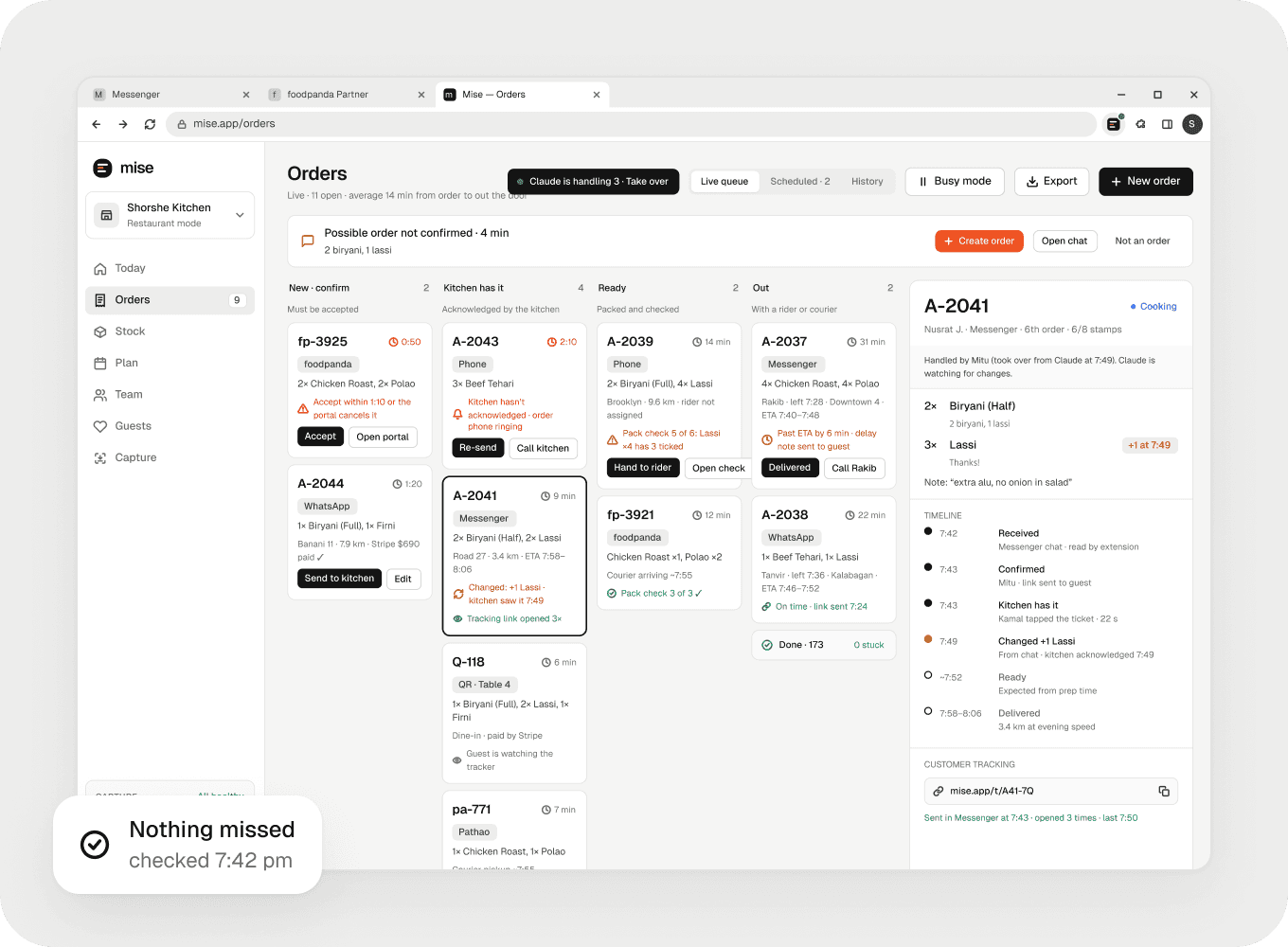
07 · ORDERS
Delivery apps, chats, QR, calls and walk-ins land in one list. No APIs, no copying between screens.
The browser extension reads Uber Eats, DoorDash and Messenger tabs on the shop PC
The order phone reads WhatsApp, Stripe and missed calls
Anything else: share a screenshot, or add it by hand in seconds
If something goes wrong: Every 20 minutes Mise checks each delivery app against the queue and flags anything missing.
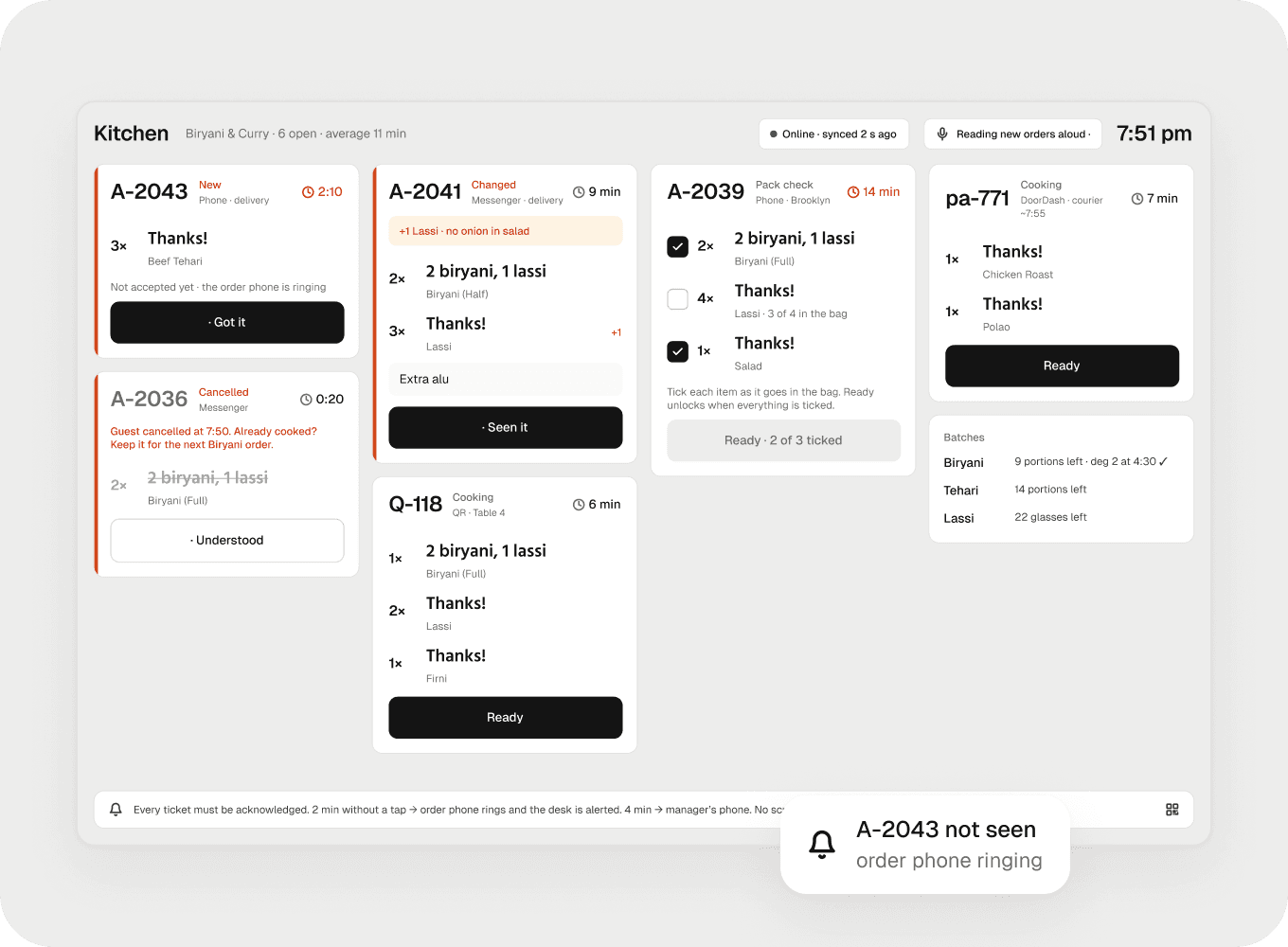
08 · KITCHEN
Runs in a browser on any tablet or phone. No app store, no special hardware.
New orders appear with a sound and a timer
The cook taps Got it, then Ready
Not seen in 2 minutes? The order phone rings and the desk is told
If something goes wrong: If the internet drops, tickets keep working and sync when it’s back.
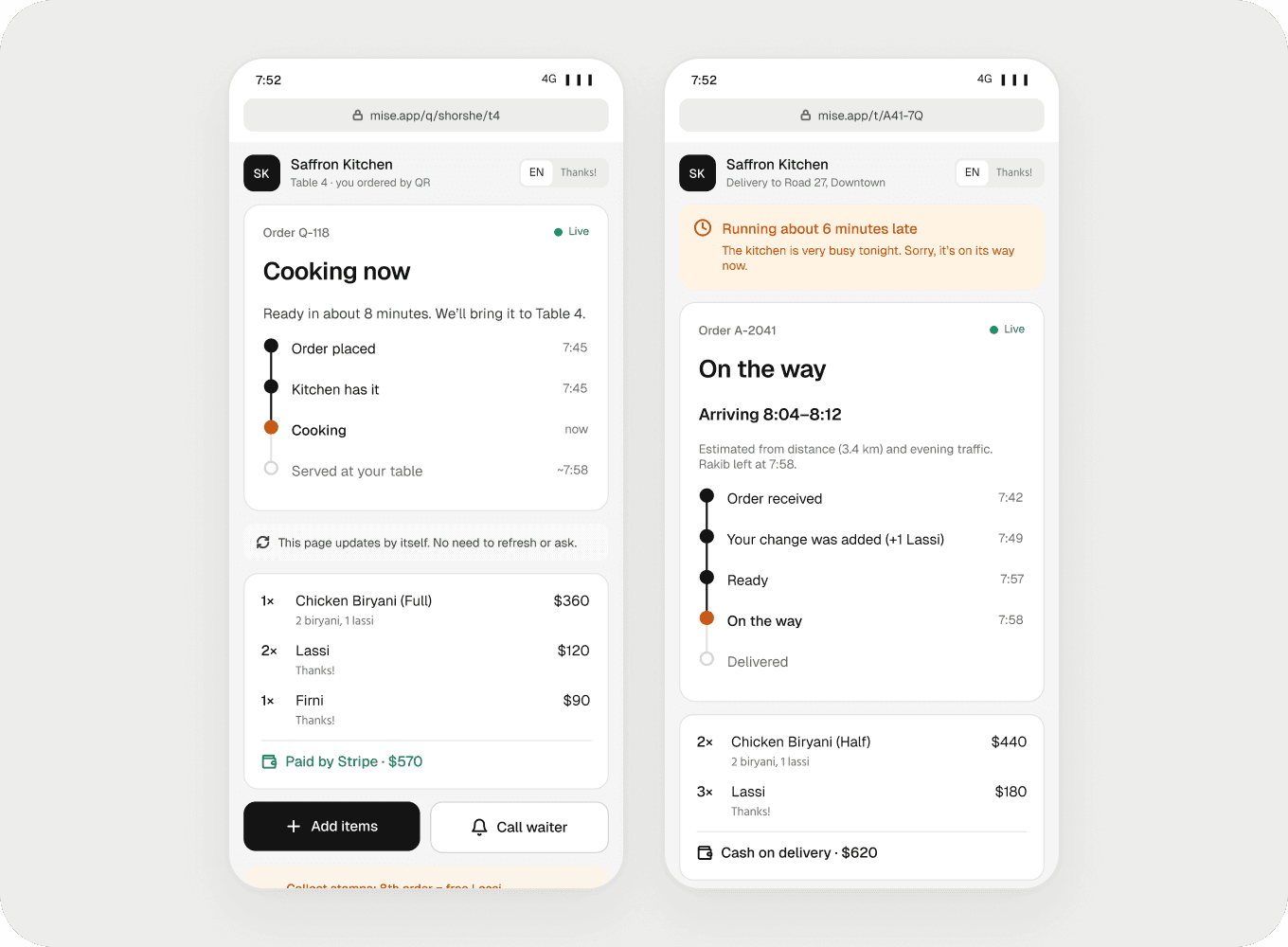
09 · TRACKING
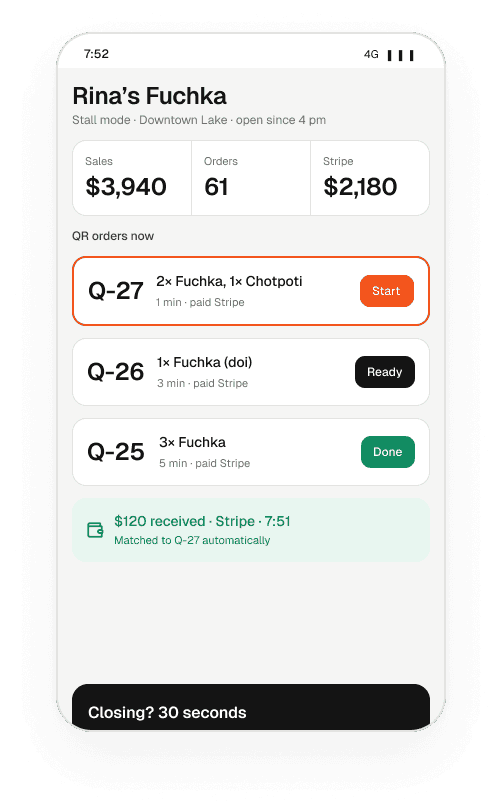
QR orders turn into a live tracker. Chat and phone orders get a link.
Guests who order by QR see their order move automatically
Chat orders get a link, sent by Mise or copied by staff
Running late? An honest delay notice goes out before they ask
If something goes wrong: Link not opened? Staff get a nudge to message or call.
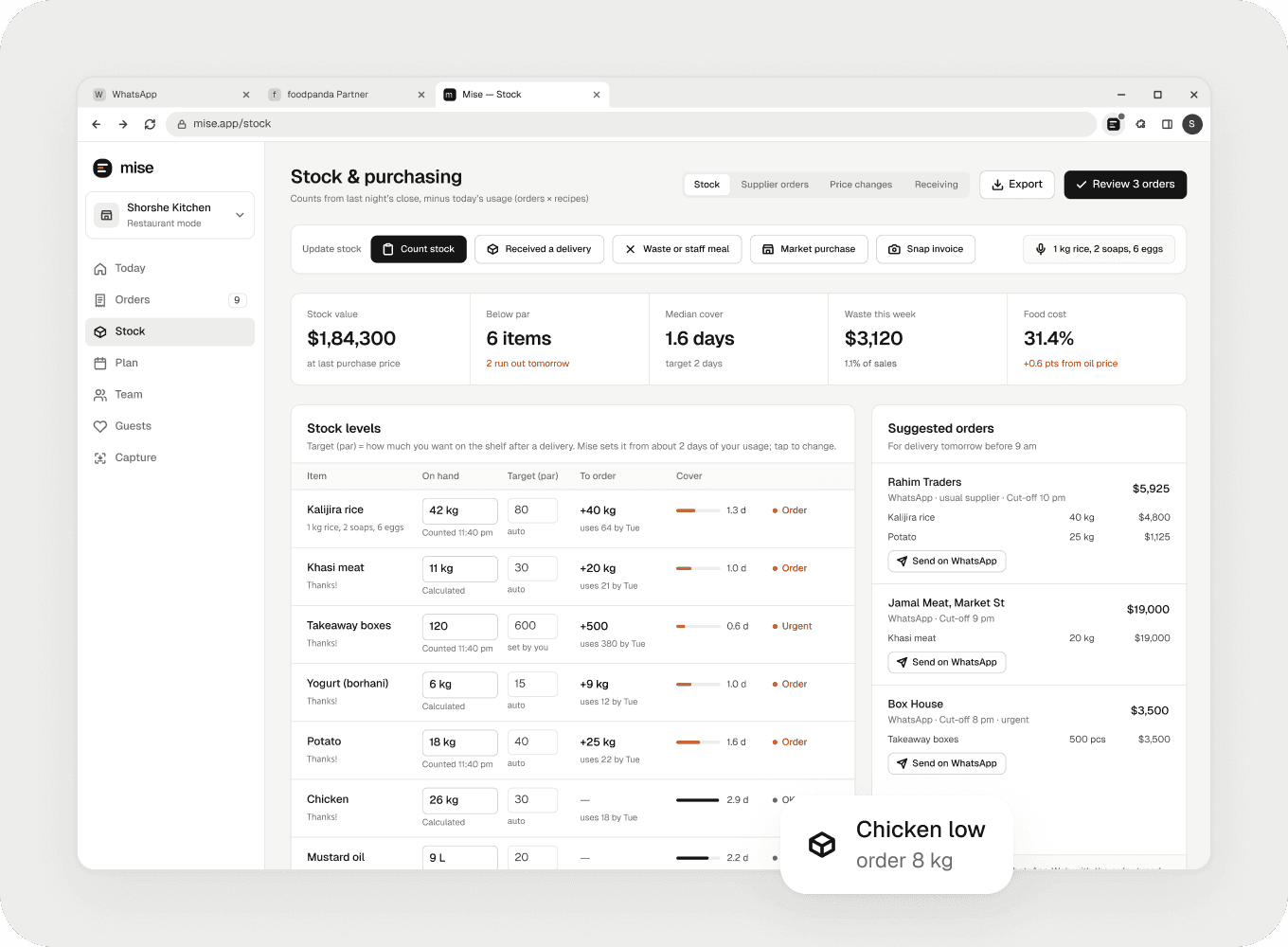
10 · STOCK
Type or say what was used, snap the supplier invoice, and count at night one item at a time.
“used 2 kg chicken” updates the right item
Target (par) minus on hand shows what to order
Supplier orders are drafted for you to send
If something goes wrong: Mise compares counts with sales and flags gaps, such as waste or a missed entry.
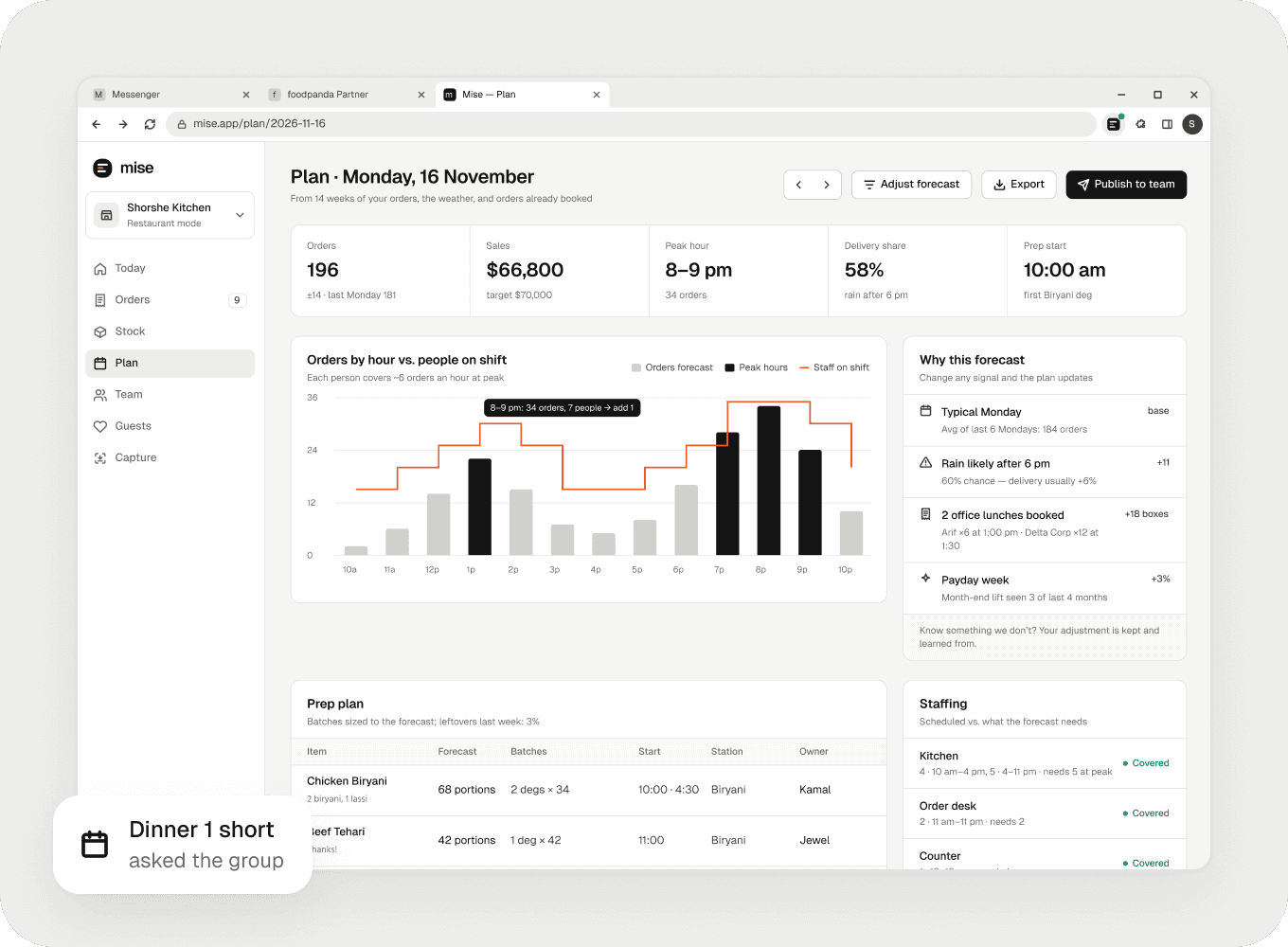
11 · PLAN
Need versus have, hour by hour, from your past weeks and local events.
See which shifts are short before the rush
Ask the staff group to cover in one tap
The prep list reaches the kitchen at 3 pm
If something goes wrong: No reply from the group? Mise reminds you to call someone.
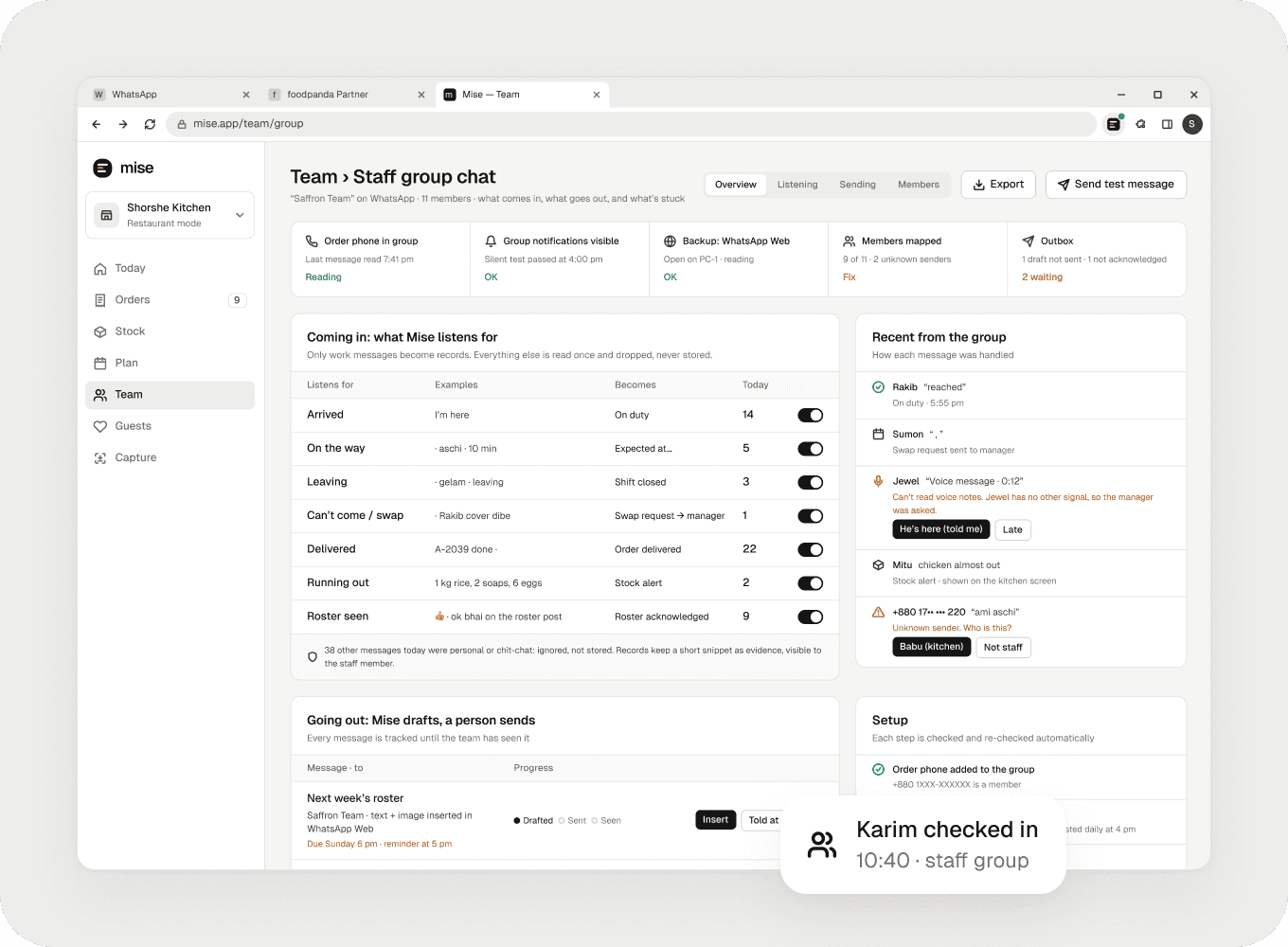
12 · TEAM
Staff check in by saying it in the group, tapping the order phone, or opening their own link.
The staff group is read for check-ins, stock notes and late messages
Shift reminders and alerts are posted back
Fair performance, from taps Mise already records
If something goes wrong: Told you in person? Log it in one tap. It counts the same.
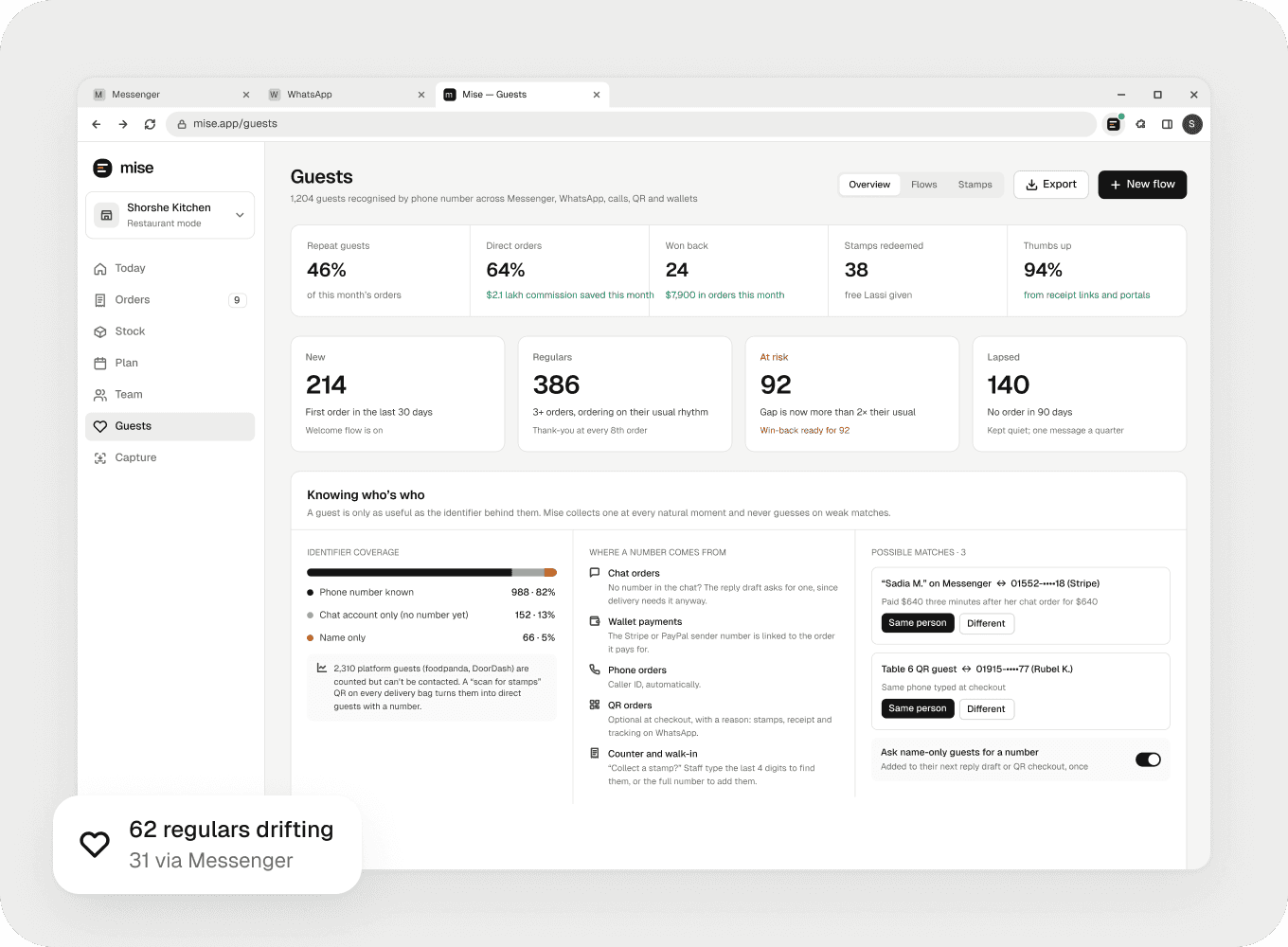
13 · GUESTS
One profile per guest across QR, chats, calls and delivery apps.
Ask for a phone number on QR orders, with a stamp in return
See who is drifting away
Send win-back messages one tap at a time, with copy and paste if an app won’t open
If something goes wrong: No way to reach them? Staff are reminded to ask at the next visit.
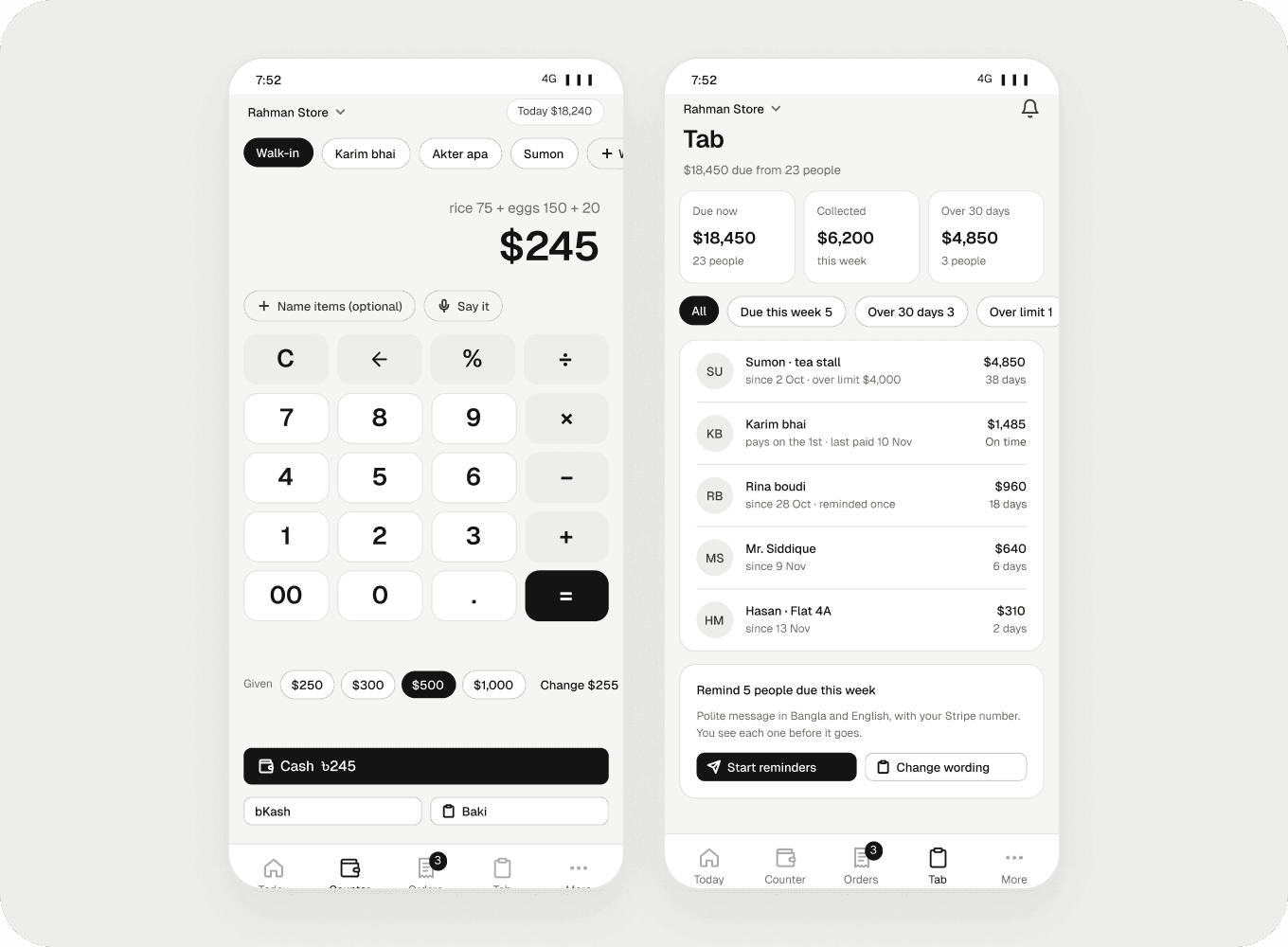
14 · CREDIT
For corner shops and regulars. Cash stays one tap; credit is there when you need it.
Tap amounts like a calculator; cash is the default
Credit checks the person’s limit and sends a receipt
Polite monthly reminders; Stripe payments close the entry
If something goes wrong: Disagreement? Both sides see the same list, with who wrote each entry.
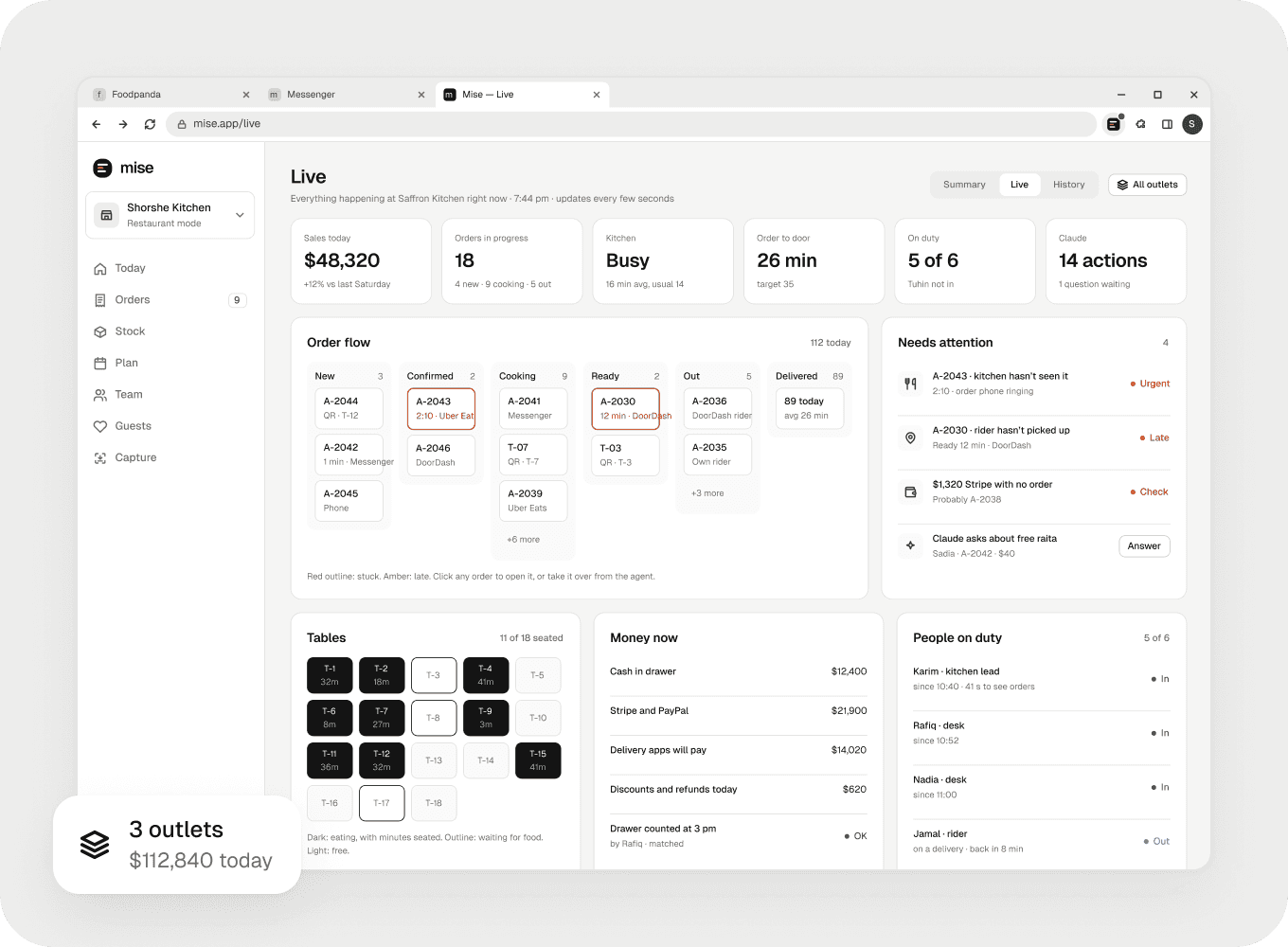
15 · LIVE STORE
Owners and managers see orders, kitchen, cash, people, stock and channels on one screen, for every outlet.
Stuck and late orders rise to the top
Money now: drawer, wallets and what delivery apps owe
Owners switch outlets; managers see their own
If something goes wrong: A nightly summary of every outlet arrives on WhatsApp.
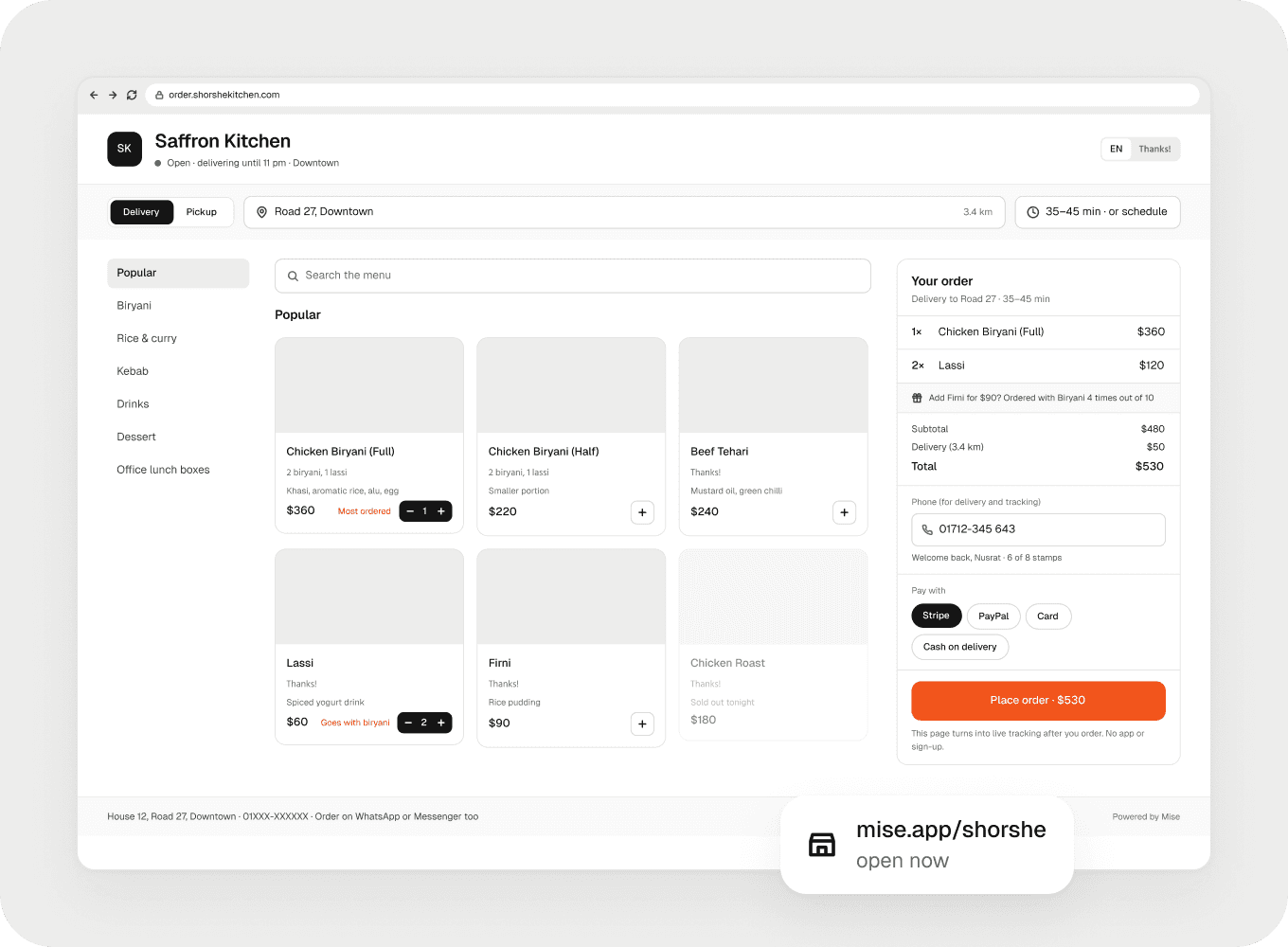
16 · STOREFRONT
The basics every shop expects, connected to everything above.
Share your order link for delivery, pickup and pre-orders
Enter phone and walk-in orders on the POS in seconds
Print table QR codes; guests order and track
If something goes wrong: Item sold out? Turn it off once and the QR menu, storefront and delivery apps update.
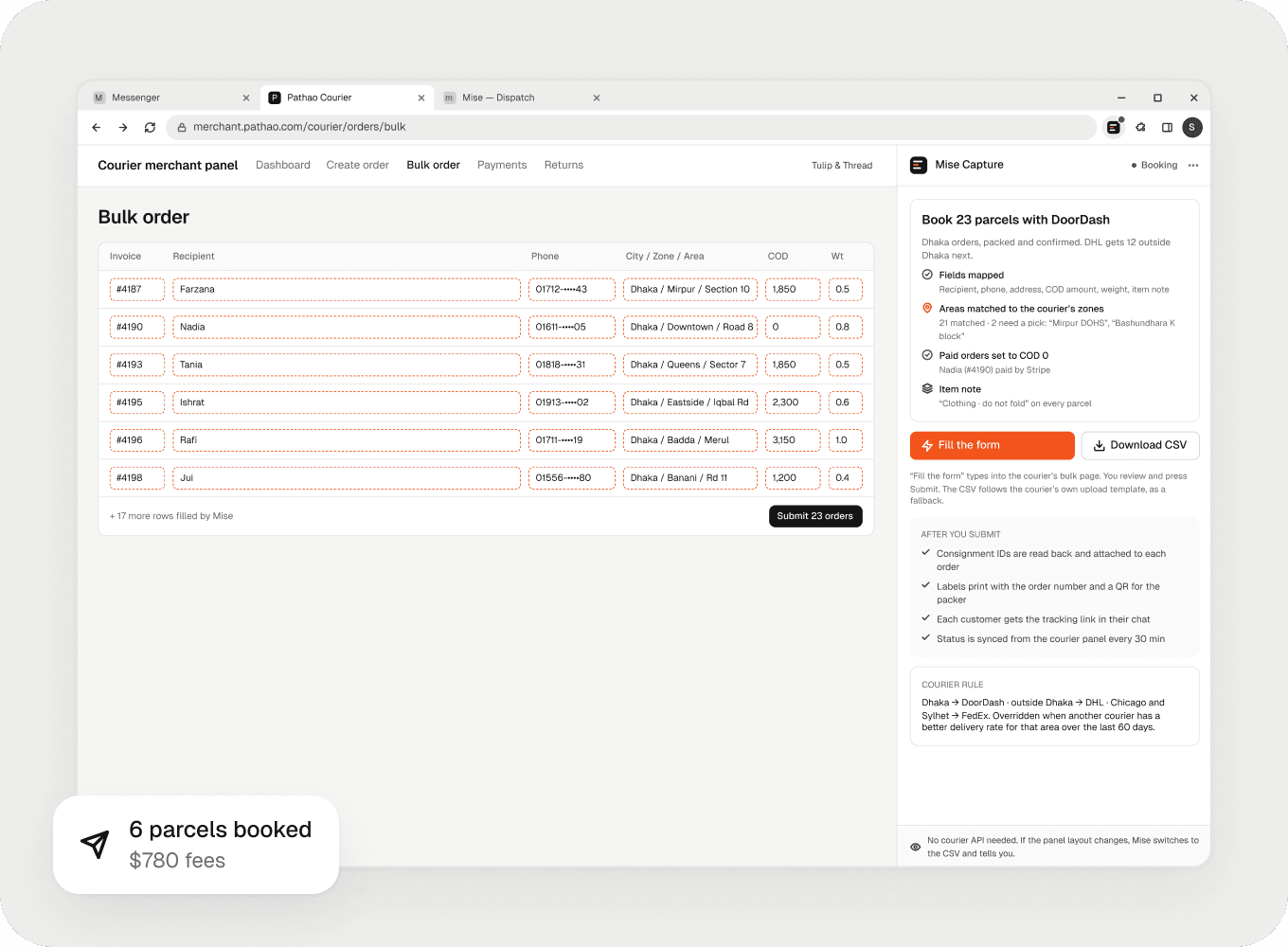
17 · COURIERS
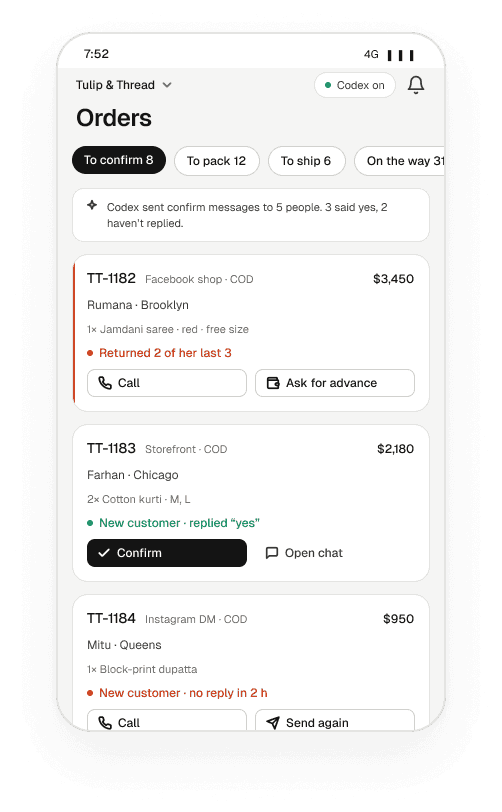
Built for cash-on-delivery businesses that ship with UPS, DHL or FedEx.
Confirm COD orders before packing; risky buyers are flagged
Courier forms are filled on the shop PC for you
Courier payouts are matched to every parcel
If something goes wrong: Courier site changed? Copy-and-paste mode keeps you shipping.
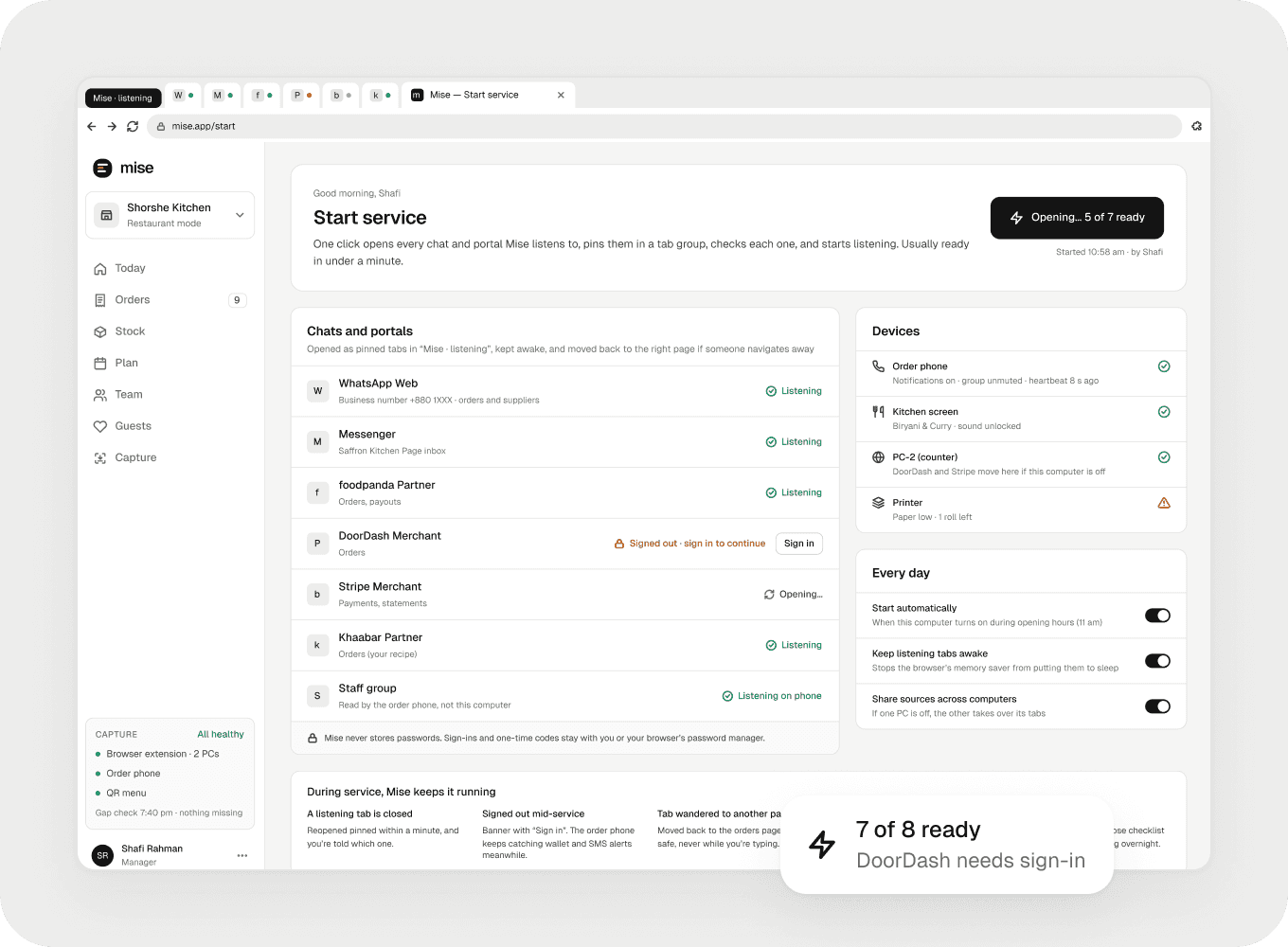
18 · START AND EXPORT
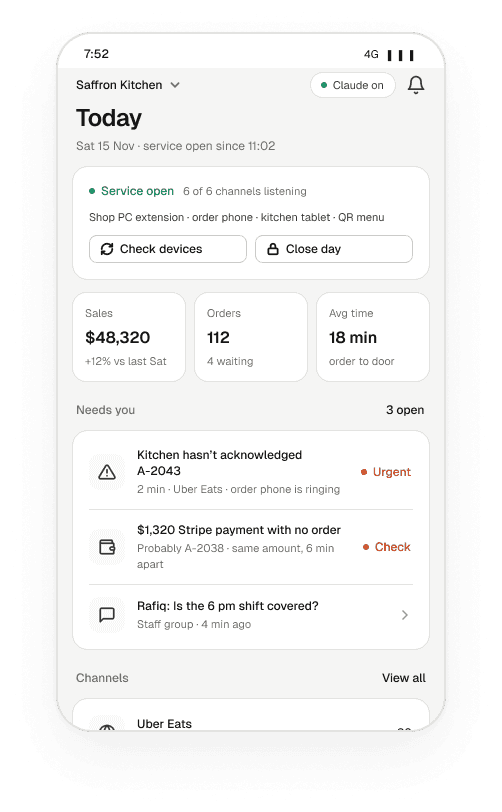
Start service opens every chat and delivery tab and checks each device. Everything you record can leave with you.
One tap opens and checks every channel
A setup checklist gets a new shop running in an evening
Excel, CSV, PDF or Google Sheets, on demand or every night
If something goes wrong: Shop PC off? Listen on the order phone until it’s back.
EVERY WORKFLOW
Everything on the computer works on the phone too. Here’s a Saturday at a neighbourhood restaurant.
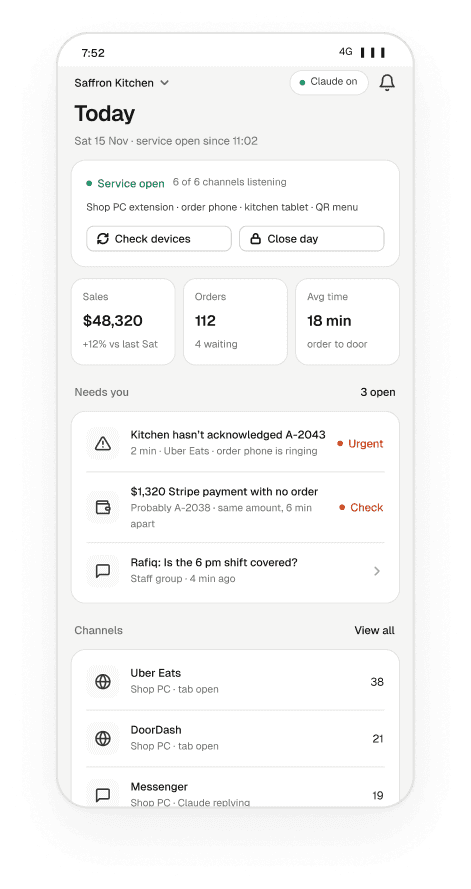
Every channel listening
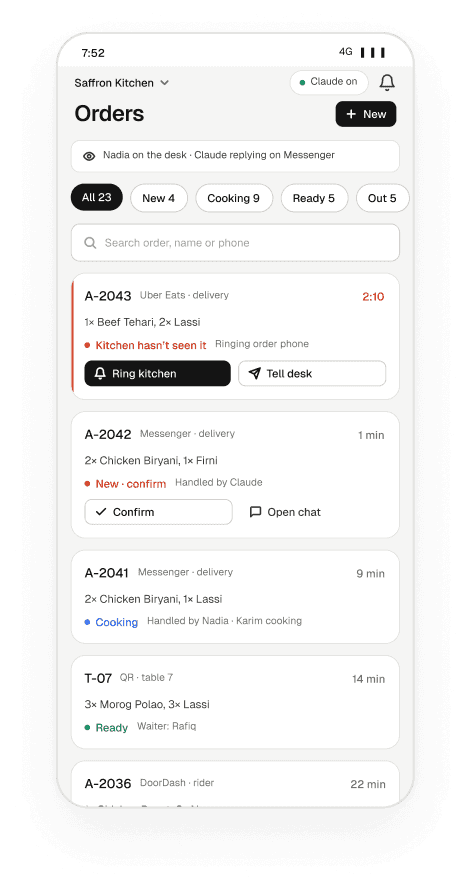
One queue for every app
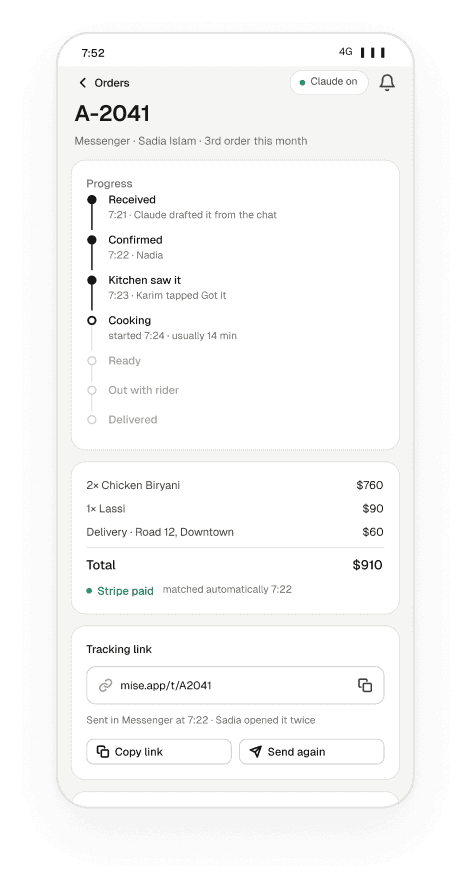
Link sent, kitchen confirmed
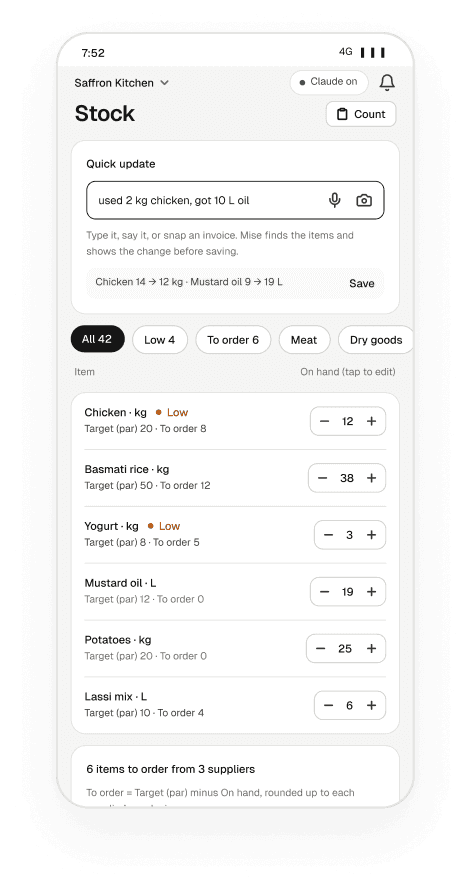
Say what was used
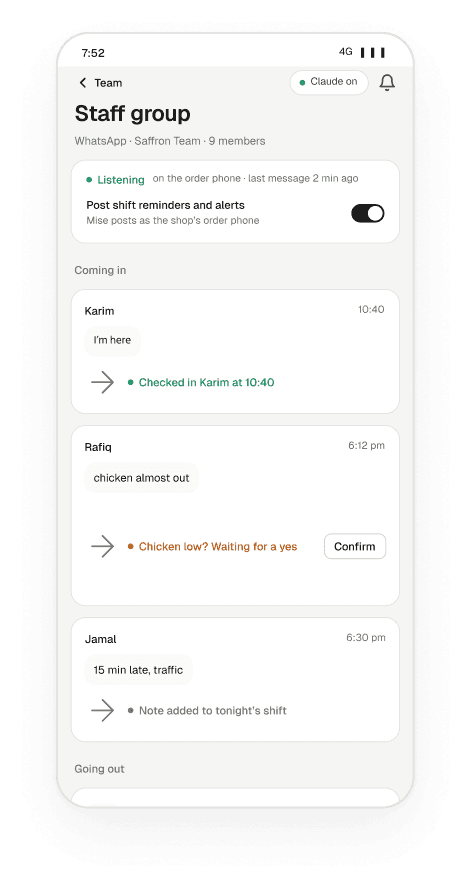
Short a person? Ask the group
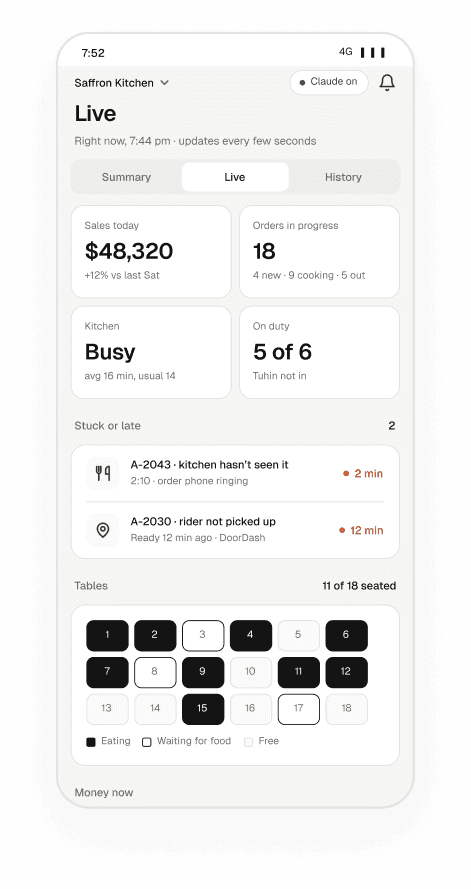
Everything live, from anywhere
FOR EVERY KIND OF SHOP
AND THE BASICS
Order link for delivery, pickup and pre-orders
Phone calls, walk-ins, anything verbal
Guests order and track from the table
Works in a browser on any tablet or phone
DoorDash, DHL, FedEx or your own
Cash, Stripe, PayPal, card, matched automatically
Excel, CSV, PDF or Google Sheets, scheduled
One login, live view of every place
Owner, manager, staff and agent
Mixed-language messages are understood too
Keeps going and syncs when back
The phone and PC you already have
| Feature | Mise | Typical POS | WhatsApp and a notebook |
|---|---|---|---|
| Takes orders from chats and delivery apps, no APIs needed | Included | Partly | By hand |
| An AI operator that can run the shift | Included | Not included | Not included |
| Reads screenshots, invoices and prescriptions | Included | Not included | Not included |
| No order left behind: kitchen and portal checks | Included | Partly | Not included |
| Staff check in without installing anything | Included | Not included | Not included |
| Credit and tab with polite reminders | Included | Not included | Notebook |
| Storefront, QR menu and POS | Included | Included | Not included |
| Runs on the phone and PC you already have | Included | New hardware | Included |
Free to start. Set up in an evening. Your staff learn it in a shift.