AltN
A fresh page in a keystroke
Headings, lists, links, and your own words. A proper Markdown editor, without an account between you and a blank page.
A calm, keyboard-first editor for plain .md files. Write, find your flow, and keep every word in a folder you own.
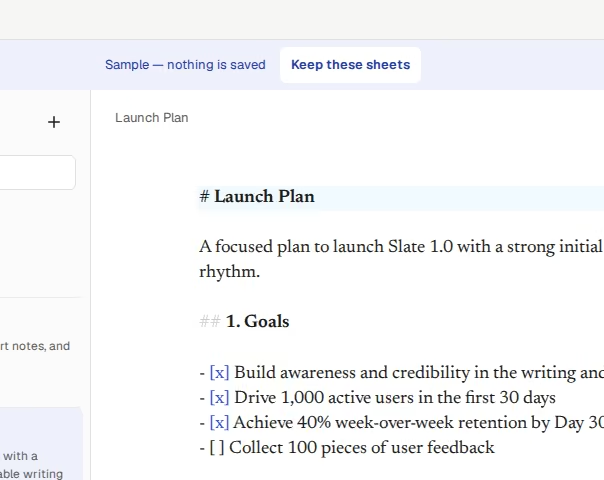
Works with the folders you already have
Start a sheet, give it a home, and get back to the words.
Everything you write is ordinary Markdown.
Headings, lists, links, and your own words. A proper Markdown editor, without an account between you and a blank page.
Notebooks are folders. Sheets are files. Add tags, search your writing, and keep related thoughts within reach.
Use Capture to save an idea to your Inbox. Keep writing offline, then pick up exactly where you left off.
The everyday actions, right under your fingertips.
Use Ctrl on Windows and Linux, or ⌘ on Mac.
Projects/New beginnings/a-good-beginning.mdthe real filenotes-from-today.mdInbox/Capture.md.slate/trash/a second chanceEvery sheet is a normal Markdown file. Open it in another editor, keep it in Git, or come back in a decade.
Work directly in a folder in Chrome or Edge. Keep a private browser library in Firefox and Safari.
When edits disagree, Slate keeps both versions. Your words deserve a second copy, not a replacement.
Export your whole Space as a .zip. Markdown, assets, and your recoverable trash travel together.
A few things to consider when choosing a home for your words.
| At a glance | Slate | Obsidian | Typora | iA Writer | Bear |
|---|---|---|---|---|---|
| Plain .md files in your folders | Yes | Yes | Yes | Yes | Export to .md |
| Start writing in a browser | Yes | Desktop / mobile | Desktop | Desktop / mobile | Web beta |
| Local writing | Free | Free | One-time purchase | One-time purchase | Free + Pro |
Checked 17 November 2026 against each product’s public pages. Editions and availability can change. Sources and details ↗
Yes. Writing on your own files is free, with no account. Optional encrypted Slate Sync is planned last, and will be free while in beta.
In a folder you choose, or in your browser’s private storage. Export the browser library as a .zip whenever you want a portable copy.
Yes. Open the vault’s folder in Chrome or Edge, or import its Markdown files into a browser library. Your original files stay plain text.
No AI service is required. Your writing stays on your device. You can write offline, and no account stands between you and your words.
Then press AltN